Your optical business runs on more than transactions. Connect prescriptions, sales, insurance, lab fitting and after-sales care with the financial clarity of Zoho.
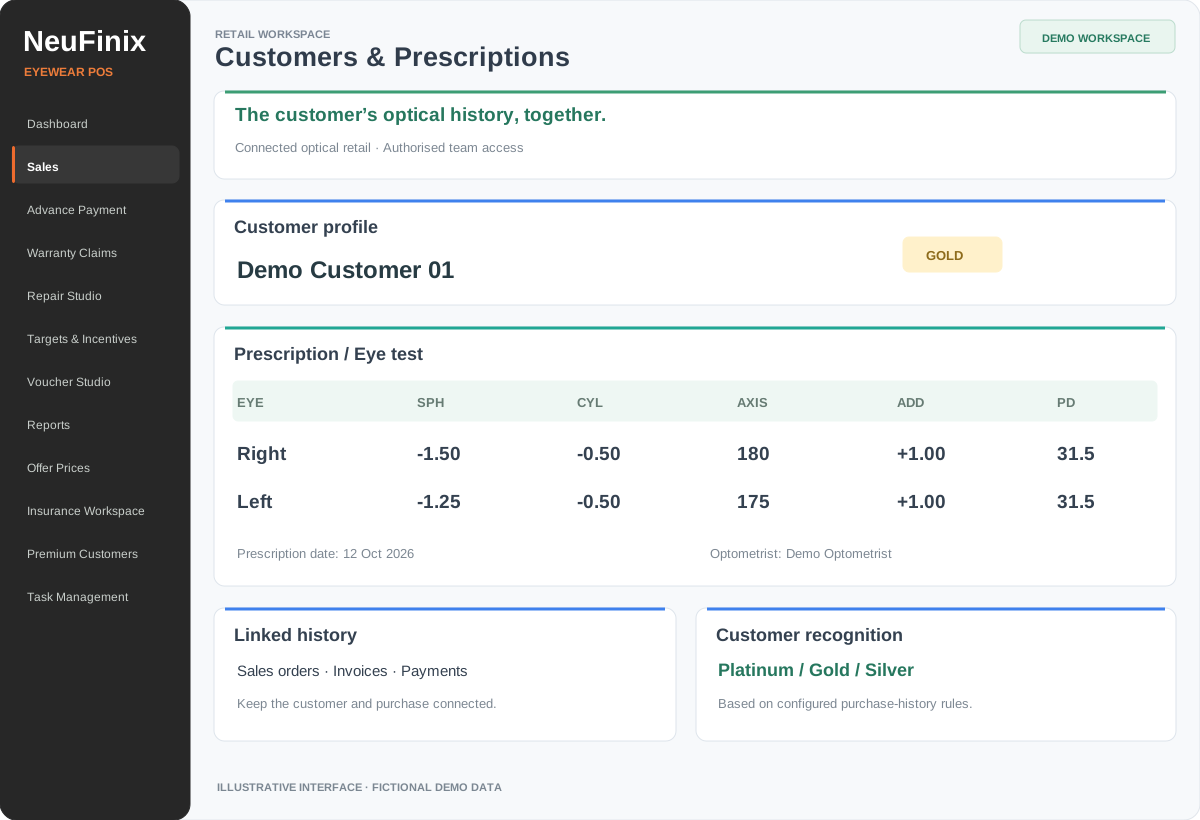
Based on the NeuFinix POS layout · Fictional demo data · Click to enlarge.
Customer profiles & purchase history+
Find customers by name, mobile or reference. Keep orders, invoices, payments, policies and after-sales activity connected to the same customer.
Optical prescriptions & eye tests+
Capture right and left eye values, SPH, CYL, AXIS, ADD and PD, with prescription dates and optometrist details. Keep optical information close to the sale.
Premium customer recognition+
Configure Platinum, Gold and Silver tiers using net purchase value or distinct visits, with a recent-month or available-history window. Returns and credit history affect the calculation.
Insurance policies & renewal history+
Maintain insurer masters, policy holder details, policy numbers, validity, cover and co-pay information. Keep renewal history and consent-based reminder options where enabled.
02 / SALES & COLLECTIONS
A checkout shaped around eyewear.
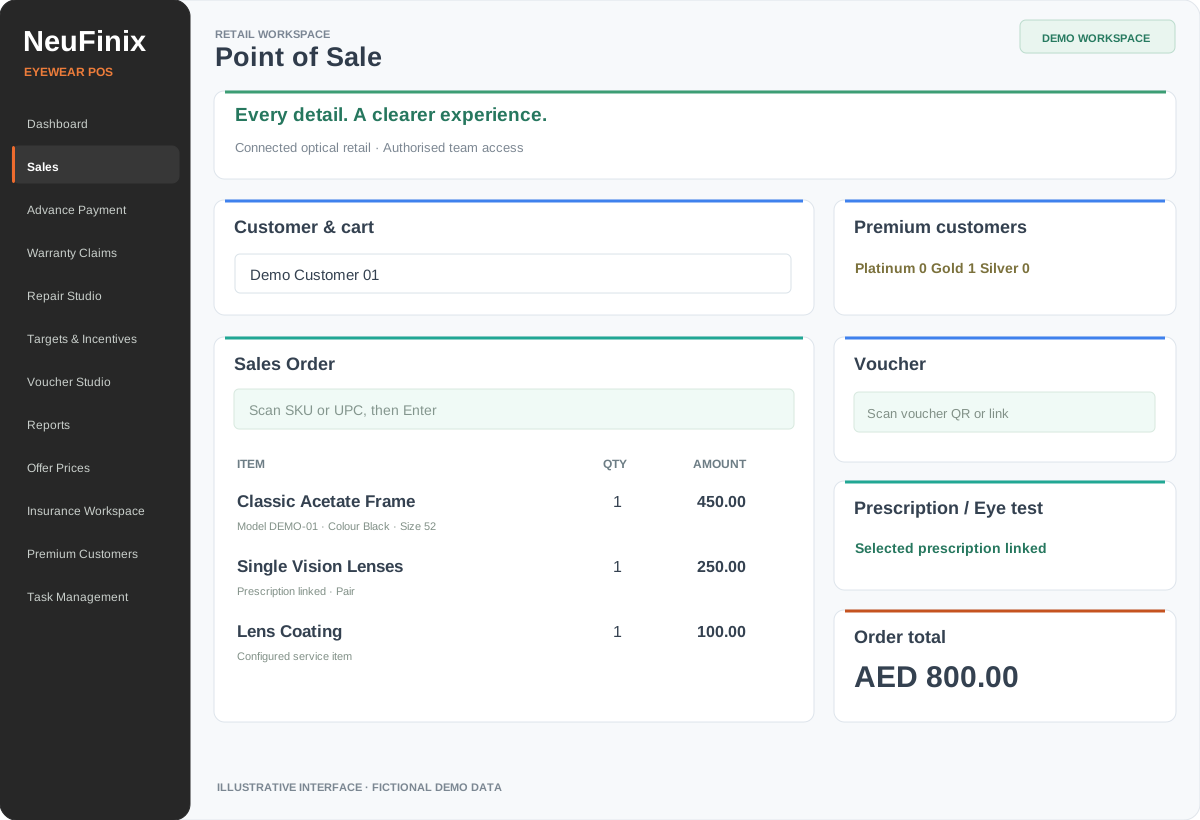
Based on the NeuFinix POS layout · Fictional demo data · Click to enlarge.
Optical product selection+
Work with frames, sunglasses, spectacle lenses and contact lenses. Use catalogue search, scanning and configured item details while building the sale.
Direct & insurance sales+
Choose Direct Sale or Insurance Sale, then identify Direct Bill or Reimbursement. Preserve policy details with the sale and review insurance-specific reports. Coverage estimates require insurer verification; electronic claim submission is not implied.
Orders, invoices & customer documents+
Connect the sales order with the invoice, payment receipt and package workflow. Include branding and prescription details in applicable configured documents.
Payments, advances & balances+
Record collections through assigned payment accounts, apply eligible advances and review outstanding amounts. Keep the sale value separate from what has actually been collected.
Offers, vouchers & discount protection+
Manage configured promotions and voucher redemption, with central discount limits and role-based controls over sensitive pricing actions.
Returns, credits & refunds+
Trace eligible returns to the original sale and issued invoice. Keep physical receipt, credit creation, credit allocation and actual refund recording as distinct steps.
Assign orders with task type, technician, due date, priority and fitting instructions. Use masters for services, frame types, lens types and quality checks.
Progress, holds & collection readiness+
Track assigned work, blocked tasks and completion. Return lab updates to the store for quality review, dispatch or customer collection.
Repair intake & signed acknowledgement+
In the Repair Studio release, trace the purchase, record condition and accessories, mark defects on an eyewear chart, upload intake photos and capture a signed acknowledgement PDF.
Repair estimates, approvals & lab work+
Prepare service estimates, record customer approval and assign the technician. Track work notes, after-work photos and store quality checks before collection.
Repair billing & signed handover+
Link chargeable repairs with sales orders, issued invoices and payment verification. Follow the case milestones through signed customer collection.
Warranty claims & vendor recovery+
Record claims against sold items, maintain brand/category policy settings and customer updates, and follow configured supplier recovery and vendor credit workflows. Availability depends on the installed release.
Use model, colour, size, SKU, barcode and product imagery, with stock visibility by assigned location through the configured Zoho Inventory connection.
Backorders, purchases & receiving+
Keep unavailable-item demand connected to authorised purchase orders. Follow approvals, actual goods receipt and posted vendor bills before releasing dependent invoicing.
Branch & user permissions+
Assign no-access, view or manage permissions across supported modules. Map users to locations, salespeople, optometrists, payment accounts and authorised customer scope.
Daily collections & cash closing+
Review cash, card, Tabby, Tamara and other mapped accounts. Compare system cash with counted cash and review differences. Provider setup is separate.
Sales targets & incentives+
Set branch and salesperson targets, with brand/category rules and percentage, per-piece or combined incentive calculations. Review eligible net sales after discounts, returns and credits.
Operational reporting & follow-up+
Review branch and staff sales, collections, insurance sales, lab work, repairs and outstanding follow-ups through permitted reports. Use configured print, PDF, email or export options.
05 / ZOHO & FINANCE
Specialist operations. Connected financial records.
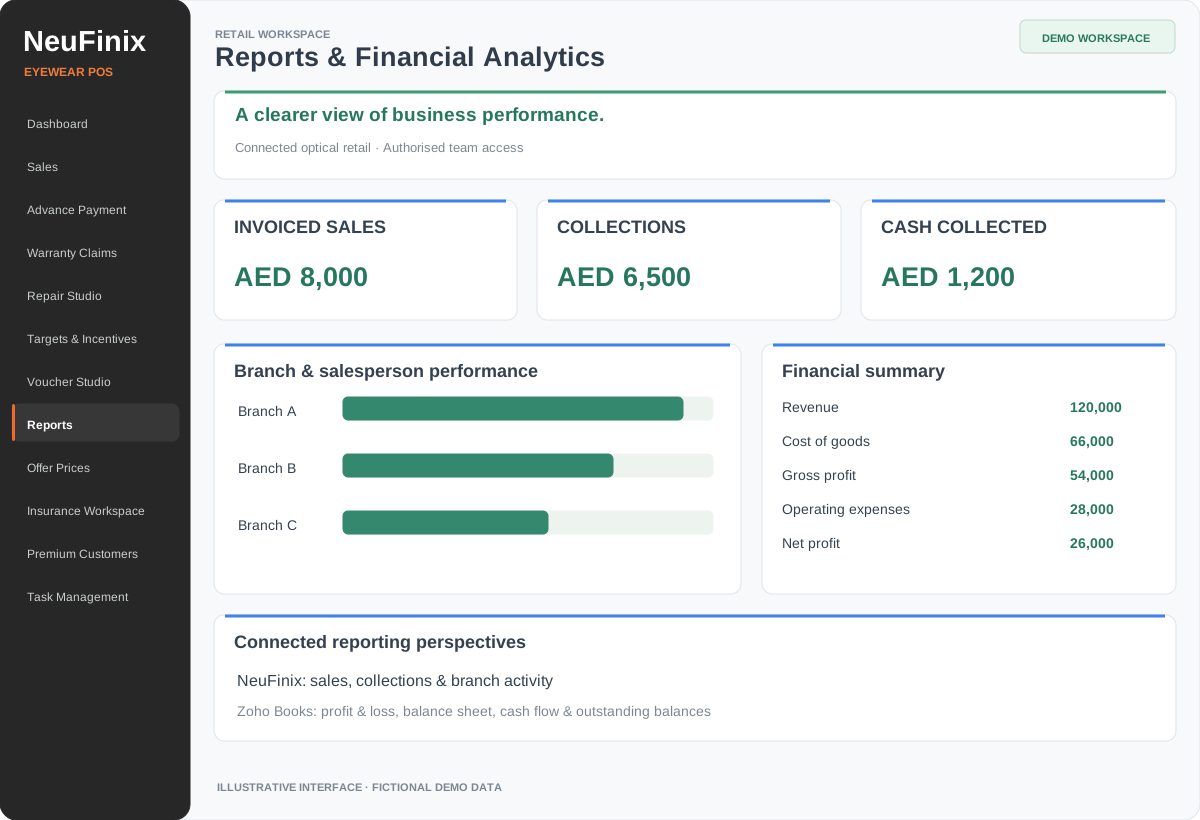
Based on the NeuFinix POS layout · Fictional demo data · Click to enlarge.
Zoho Books & Inventory connection+
Link supported customer, product, order, invoice and payment workflows. Background sync and webhook updates refresh supported records, with status and exception visibility.
Accounting & financial reporting+
Through configured Zoho Books, manage receivables, payables, expenses and credit adjustments, then review profit and loss, balance sheet, cash flow and ageing reports.
Bank reconciliation+
Use supported bank feeds or statement imports in Zoho Books to match settlements, receipts, supplier payments and charges against ledger records.
UAE finance configuration+
Discuss e-invoicing, VAT and Corporate Tax workflows as part of the Zoho Books scope. Availability and applicable requirements must be checked during implementation; filing and professional review remain separate responsibilities.
The wider Zoho Finance Plus suite+
Explore separately configured Books, Inventory, Billing, Expense, Checkout, Commerce and Payroll applications according to subscription and business needs. A direct POS integration with every suite app is not implied.
Migration, training & ongoing support+
Scope customer and item preparation, images, stock and opening information. Configure permissions and connections, validate agreed scenarios with the team, then complete launch and support handover.
Your demonstration covers the modules relevant to your store. Repair, warranty, integrations and reporting are configured according to the agreed software release, permissions and project scope.
AI-generated laboratory concept from the NeuFinix catalogue.
SALES TEAM ↔ LAB TEAM
Clear instructions. A connected handover.
Keep order items, prescription details, fitting instructions, due dates and quality checks alongside the assigned work.
Technicians see the work assigned to them.
Store staff follow progress, holds and completed tasks.
Repair releases add intake evidence, approvals and signed collection.
Authorised Zoho access is required. App features, refresh speed, API availability and plan limits depend on your configuration and subscription.
A WIDER VIEW OF YOUR EYEWEAR BUSINESS
Understand performance. Open your wholesale channel.
Extend your project with analytics and a dedicated B2B buying experience.
08 / FINANCIAL ANALYTICS
Reports that support decisions.
Bring sales, collections, outstanding balances and financial results into a clearer management view. Scope dashboards and reports for branch performance, receivables, payables, profit and loss, and cash flow using your connected records.
Develop a dedicated online channel for wholesale buyers, with catalogue presentation, product imagery and business enquiries. Our existing Neu Co. wholesale portal provides a place to explore the B2B experience; buyer access, pricing, stock and ordering integrations are scoped for each project.
Financial analytics and the B2B portal are separately scoped services. Buyer pricing, stock visibility, ordering and integration requirements are agreed during discovery.
A ROLLOUT AROUND YOUR BUSINESS
From your existing data to your team’s working day.
Confirm branches, staff roles, sales flows and finance requirements.
02
Prepare
Scope customer, catalogue, images, stock and opening-data migration.
03
Configure
Set up agreed modules, permissions, masters and Zoho connections.
04
Validate & train
Walk through scenarios with sales staff, technicians and finance users.
05
Launch & support
Complete the agreed handover and support arrangement.
BEFORE YOUR DEMO
Your questions, answered.
Is this designed specifically for eyewear retailers?+
Yes. The workflow brings optical prescriptions, eyewear products, insurance policy information, lab fitting and after-sales care into the retail process, with controls for branch and staff access.
Can it support multiple optical branches?+
Users can be allocated to branches, stock locations, salespeople, optometrists and payment accounts. Visibility and reports follow configured permissions and scope.
Does it replace Zoho Books or Inventory?+
NeuFinix supplies the specialist optical workspace and connects supported workflows with your configured Zoho applications. Zoho subscriptions and third-party services are separately scoped.
Can you migrate our existing customer and product data?+
Data preparation and migration can be included in the proposal. We first review the source, quality, record types and volumes before agreeing scope, limits and validation.
Are repairs, warranty and insurance included in every installation?+
Module availability depends on the installed release, enabled settings and agreed scope. Insurance records do not constitute insurer approval or electronic claim submission. Ask to see each required module during your demonstration.
What is the price?+
Request a proposal based on your branches, users, required modules, migration and integrations. Implementation, subscriptions and support terms are agreed in that proposal.
SEE IT WITH YOUR WORKFLOW IN MIND
Let’s talk about your optical business.
Tell us your branch count, current system and the workflows you want to improve. We’ll use that to plan a relevant product demonstration.